Step Inside Your Memories: What a VR Memory Gallery Actually Is (and How to Make One This Year)
That's not a science-fiction pitch or a gimmick with a countdown timer attached. It's a real, surprisingly approachable feature — a VR memory gallery — and this post is going to explain, in plain language, exactly what it is, how it works, and how you can make one of your own before this year quietly closes the door behind it. The best part, and I want to say this upfront so you can relax: you don't need a headset to start. You can preview a gallery of your virtual reality memories in 2D right inside the app, and experience it immersively with a headset whenever — or if ever — you want to.
Now imagine not scrolling past the one blurry photo you managed to take of that night, but standing back inside it. Turning your head and seeing the faces again. Feeling, for just a moment, like you're there.
Picture the table from that long summer evening. The light was going gold and low, the kind that makes everyone look like a painting. Someone said something you can't quite remember now, and the whole table tipped over into laughter — the real kind, the kind that makes you wipe your eyes. You can almost hear it. The clink of glasses. A chair scraping back. A dog barking somewhere two gardens over.
Think of this as an explainer and a how-to stitched together, with a short "do I actually need a headset?" reality check and an FAQ at the end for the stray questions. It's blog number six in a ten-part series about closing out the year with intention — and honestly, there are few better ways to say goodbye to twelve months than by building a room you can walk back into. If you'd like to peek at the real thing before we go any further, here's .
Lugelo's VR Gallery
What Is a VR Memory Gallery, Really? A Plain-English Explainer
Let's strip away the buzzwords, because "VR" has been doing a lot of heavy lifting in marketing copy for a decade now, and most of it hasn't been about you.
A VR galleryThat's it. That's the whole idea. No PhD required.
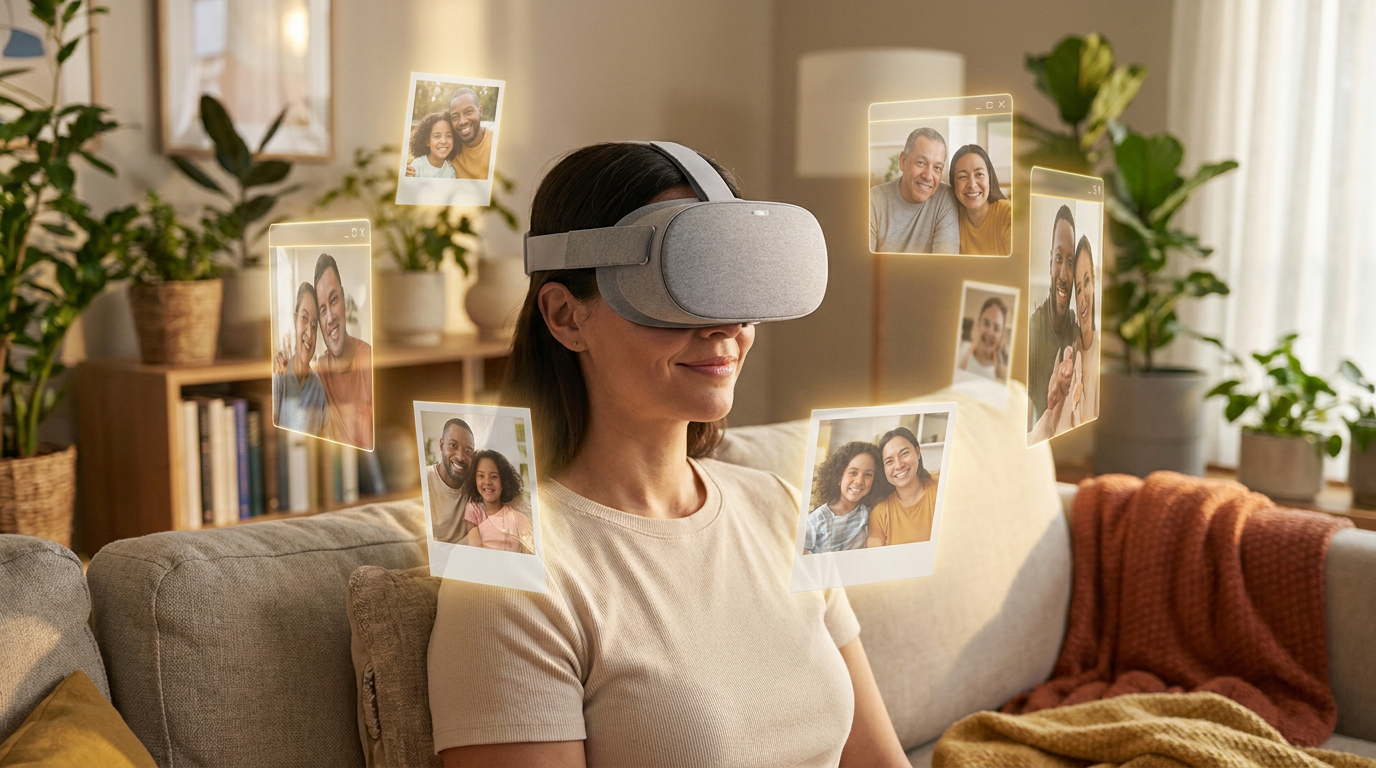
— a virtual reality memory gallery — is simply this: your photos, videos, and written moments turned into an explorable 3D space you can walk through. Instead of a flat, endless scroll, you get something closer to a personal museum of your own memories. Each photo sits somewhere in the room around you. You move toward the ones that pull you in. You linger. You turn around and find another.
Here's a comparison that might make it click. Think about how you usually revisit a moment: you open your camera roll, you flick your thumb upward, and three thousand photos blur past until you give up or get distracted. The memory is technically there, but it's trapped behind glass, flattened into a thumbnail the size of a postage stamp. Photographs flatten memories. A 3D photo gallery gives them dimension again. You're not looking at the night anymore — you're standing in a space built out of it.
The difference between scrolling and standing inside
There's something quietly profound about that shift from scrolling to standing. When you scroll, you are a viewer. You're outside the moment, consuming it the way you'd consume anyone else's photos. When you step into a virtual photo galleryTo make sense of how this actually works at Lugelo, it helps to learn three small words. They're not jargon — think of them more like the names of rooms in a house you already live in.
of your own life, the posture changes. You become a visitor to your own history, moving through it at your own pace, deciding what to approach and what to let rest.
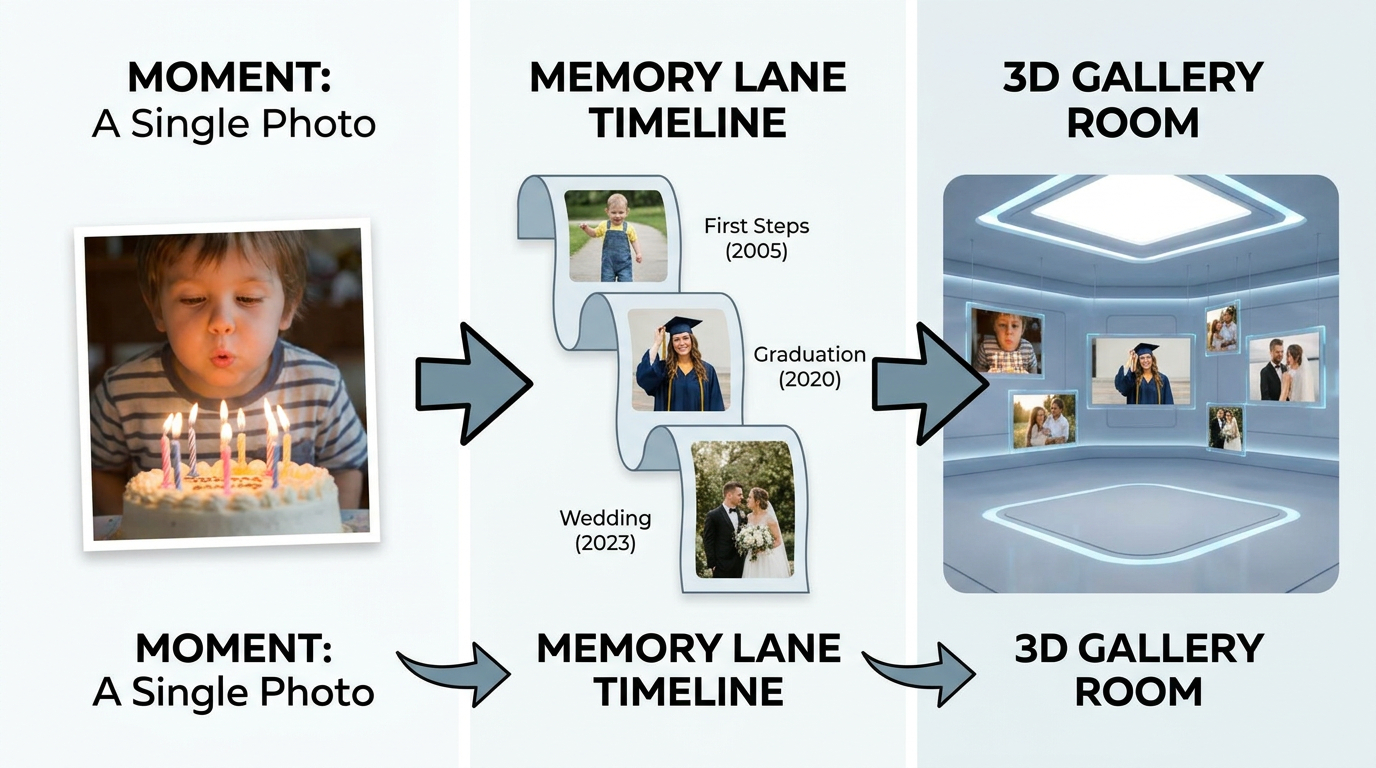
- A Moment is a single journal entry. It can be a photo, a video, an audio clip, or a few lines of text. It's the raw stuff of memory.
- Your Memory Lane is the chronological timeline all those Moments live on — a living, scrollable record of your life in sequence.
- The VR Gallery is one of the ways you can relive those Moments. Not the only way, but the most immersive one.
So the gallery isn't a separate project you have to build from scratch. It's a lens you point at material you've already gathered. If you've journaled through the year — a photo from a birthday here, a voice note from a road trip there — the content already exists. You're just choosing a new way to walk through it.
And there are, genuinely, two ways to experience it. The first is a 2D preview inside the Lugelo app, which needs no equipment at all — just the phone, tablet, or browser you already have. The second is the fully immersive version with a VR headset, where you can actually look around and move through the space. We'll come back to the headset question in detail later, because it's the thing most people wonder about first.
Is this "the future of storytelling," as the breathless headlines like to say? Maybe. It's certainly an emerging, exciting space, and the tools keep getting better. But I'd rather be honest than dramatic: this isn't a magic machine that resurrects the past. It's a thoughtful, human way to re-experience the moments you already lived — and that's plenty. You can see exactly what the feature looks like on , and you can explore where the content comes from through .
the Moments and Memory Lane you capturethe VR Gallery page
Now that you know what it is, let's open the hood — gently — and look at how a single photo becomes a room you can walk through.
How It Works: From a Moment to a Room You Can Walk Through
Here's the reassuring truth before we start: it's simpler than it sounds. You are not about to become a 3D modeler or learn a single line of code. If you can open a photo album, you can make one of these.
It begins with raw material you already have. Every photo you snapped this year, every short video, every voice memo whispered into your phone, every line you typed on a quiet night — in Lugelo, these are all Moments, and they've been quietly stacking up on your Memory Lane whether you were paying attention or not. Nothing new needs to be shot. There's no photo shoot, no staging, no "let's all pose again." The gallery is built from life as it actually happened.
What actually happens behind the scenes
The steps, in their plainest form, look like this:
When you choose the VR Gallery view for a journal, Lugelo takes the images in that journal and arranges them into an explorable 3D environment — scenes placed around you in space rather than stacked in a vertical feed. You don't position anything by hand unless you want to. The software does the spatial arranging. Your job is simply to show up and explore.
- Open a journal that has photos in it.
- Select the VR Gallery view.
- Explore the space — walking through it, in a sense, rather than scrolling past it.
That third step is where the honest distinction matters, and I want to be clear about it because muddiness here is exactly how people end up disappointed. The VR Gallery works directly inside the app in 2D. On your phone, on a tablet, in a browser — you can navigate the gallery, see your photos arranged in space, and get a genuine feel for it. A headset doesn't unlock the gallery; it deepens it. With a headset on, the same gallery becomes fully immersive — you turn your head and the room turns with you.
Where it runs, plainly stated
No one likes vague compatibility claims, so here's the clear version. The immersive experience is compatible with Meta Quest, Apple Vision Pro, and web XR. And Lugelo itself runs across web, iOS, Android, and HarmonyOS — meaning the 2D preview is available on effectively whatever you're already holding. You are not being quietly pushed toward an expensive purchase. The on-ramp is the device in your pocket.
One capture, many keepsakes
The VR Gallery is the star of this post, but it's worth knowing it has siblings — because they share the same parents. The exact same Moments you gather can also become an : a flatter, printable, giftable keepsake you can hold in your hands or mail to a grandparent who will never, ever put on a headset. The same Moments can also simply be scrolled as a Memory Lane timeline, which is the gentlest, most everyday way to revisit them.
eBook or storybook
Think of it as one capture feeding three outputs. The timeline is the quick daily glance. The eBook is the heirloom on the shelf. And the VR Gallery is the most immersive of the family — the one you step inside. If you want to walk through the "how to access it" flow yourself, lays it out.
Lugelo's VR Gallery
That covers the mechanics. But a reasonable skeptic is still sitting there with arms folded, asking the only question that really matters: does stepping inside a memory actually do anything — or does it just look cool for thirty seconds? Let's take that seriously.
Why Immersive Memories Feel Different (A Measured Look at the Research)
I'm going to answer the skeptic honestly, because overpromising here would be a betrayal of the whole point. The short version: immersion can make a memory feel more present, but the science is nuanced, and anyone who tells you VR is a guaranteed memory booster is selling something.
Let's start with the word researchers use: presence. Presence is the subjective feeling of "being there" — the sense that you've actually been transported somewhere, rather than looking at a screen. It's distinct from immersion, which is a technical property of the system (how many of your senses it engages). Immersion is what the hardware does. Presence is what your mind does in response. You can have a highly immersive setup that still leaves you feeling like a spectator, and a modest one that somehow makes your chest tighten because, for a second, you believed.
What the researchers actually found
The gold-standard place to look here is Stanford's , the lab run by Jeremy Bailenson that has been studying the psychology of VR since 2003. And here's the honest, slightly surprising part: their work on presence and memory doesn't hand you a clean "VR makes you remember better" headline. In one of their studies on cued recall, researchers found a negative association between how much presence people reported and how well they recalled certain information afterward. In plain terms: feeling intensely "there" didn't automatically mean remembering more. Sometimes the opposite.
Virtual Human Interaction Lab
That might sound like bad news for a memory gallery. It isn't — but only if we're precise about what we're claiming. VR is still an emerging research area, and the findings are genuinely mixed, dependent on the task, the individual, and the way the experience is designed. The lab's broader reviews — including a look back at distilling canonical findings from roughly thirty years of experimentation — paint a picture of a field that is established but still evolving, powerful but not magic.
decades of VR research
Why none of that undercuts the gallery
Here's the reframe that matters. Those studies were mostly measuring learning — can you recall facts, instructions, data you encountered in a virtual space? A memory gallery isn't trying to teach you anything. You're not being quizzed on your own birthday party. The goal isn't retention of new information; it's re-experiencing and honoring moments you already lived. And re-experiencing is exactly where the emotional and sensory richness of immersion earns its keep. The value isn't in remembering more. It's in feeling closer.
Immersion can make a memory feel closer — but a gallery's real gift is simply standing beside a moment you loved.
So let me draw the line clearly, because this is a matter of integrity: a VR memory gallery is not a therapeutic tool. It does not guarantee better recall. It does not make a memory permanent, and it does not bring anyone or anything back. The phrase "the future of memories" is a lovely aspiration, and I'll use it, but I'll always hold it with open hands.
What I will say, without hedging, is this: how we keep what matters is worth taking seriously. Immersive formats are one beautiful option, and they sit comfortably alongside more old-fashioned, sturdy habits — backing things up, keeping formats readable, not trusting a single device. The Library of Congress publishes genuinely excellent, free guidance on how to Theory grounded and honestly stated, let's get to the part you actually came for — the hands-on guide to building one of these this year.
preserve your memories thoughtfully
, and it's worth a read no matter which format you fall in love with.
How to Make a VR Memory Gallery of This Year (Step by Step)
Here's the whole process, start to finish. Read it once and you'll realize it's a matter of minutes, not an afternoon-devouring project. The guiding principle throughout: use what you already have.
- Gather the year's standout Moments. Pull together the photos, videos, and voice notes you've already captured. If you journaled through the year, there's genuinely nothing to gather — they're already sitting on your Memory Lane, waiting. Don't aim for completeness. Aim for the ones that still make you feel something.
- Create or open a journal for the memories you want to relive. Give it a name that means something — "Our Year 2026," a trip, a wedding, a baby's first spring. Remember that a journal can hold every kind of Moment at once: photos, video, audio, and text, all living together in one place.
- Fill the gaps with a few words. A gallery of bare photos is nice; a gallery with a little context is alive. Add short captions — where you were, who said the funny thing, why it mattered. If you're staring at a blank caption box, Lugelo's templates and AI Journal Assistant can help you start from a handful of words rather than nothing. And if you have old handwritten notes or printed pages, scan-to-text and speech-to-text can fold them in without retyping a thing.
- Select the VR Gallery view. Open the journal, choose the gallery view, and let Lugelo arrange your images into an explorable 3D space. This is the moment the flat album becomes a room. You can open the VR Gallery directly from any journal that has photos in it.
- Preview in 2D first. Before you think about hardware, walk through the gallery right on your phone, tablet, or browser. No headset needed. This is where you rearrange, swap in a better photo, or add a Moment you forgot. Treat the 2D preview as your editing table.
- Go immersive (optional). When you're ready — and only if you want to — put on a headset. Meta Quest, Apple Vision Pro, or web XR will all take you inside, where you can look around and move through the scene. This step is a bonus, never a requirement.
- Save it as a sibling keepsake, too. With one tap, export the same journal as an eBook or storybook — a flatter, printable version you can keep on a shelf or gift to someone who'll treasure the physical object. The same capture tools, templates, and one-tap eBook export power every step above, so nothing here is a separate chore.
A quick, honest word of encouragement: the most common reason people never make a keepsake like this isn't difficulty — it's the vague dread that it'll be a lot. It won't be. If the Moments are already captured, the gallery is a few taps. And if you hit a journal that feels thin — a month where you took plenty of photos but wrote nothing down — a batch of prompts can refill it fast. These are built exactly for adding written context to the thin spots, so a bare photo becomes a remembered moment.
fall and October journal prompts
You can build one now. The only real question left is what to put in it — so let's spark some ideas.
The Best Moments of the Year to Relive in VR
If you froze a little at "which moments?", you're in good company. The blank-canvas problem is real. So here's a scannable cluster of ideas, each with a quick note on why it shines in an immersive, 3D form. The honest headline for this whole section: yes, that moment counts.
- Travel and adventures. The trips where the place was the entire point — a city you wandered, a coastline you couldn't stop photographing, a mountain trail. These are made for a 3D photo gallery, because spatial, place-driven memories gain the most when you can look around and feel the geography again.
- Family celebrations. Birthdays, anniversaries, holidays, reunions. The magic of these isn't one photo — it's the crowd, the gathered faces. A gallery lets the whole room be present at once instead of one face at a time.
- Milestones. A graduation, a new baby, a wedding, a first home. Big, once-in-a-lifetime thresholds deserve more than a thumbnail. Standing inside the day gives it the weight it actually had.
- Everyday magic. A season of small, unremarkable moments that turn out to be the ones you miss most — a kid's first year, a garden changing month by month, ordinary Sundays. Visual-first, slow-accumulating memories are quietly perfect for this. If you want help capturing more of them, these autumn reset prompts are a gentle way to notice the small stuff before it slips by.
- Shared and collaborative galleries. This one's special. Invite family or friends to add their own photos and angles to the same journal, so a single event becomes multi-perspective — your view of the wedding and your cousin's, side by side. Lugelo's shared journals make one gallery a collective memory rather than a solo one.
- Year-in-review. The whole twelve months gathered into one walkable gallery. It is, frankly, the perfect New Year ritual — a way to step through the year you're leaving before you walk into the next.
If none of those quite fit, trust the simplest test there is: when you scroll past a photo and feel a small tug in your chest, that's the one. Build the room around that. With ideas in hand, there's one practical worry left to clear — the headset question everyone secretly wants answered.
"Do I Need a VR Headset?" — An Honest Answer
No. You do not need a headset to start. Let's put that in bold and leave it there, because it's the single biggest reason people talk themselves out of trying.
The VR Gallery previews in 2D right inside the Lugelo app, on web, iOS, Android, and HarmonyOS. That means you can create, explore, edit, and genuinely enjoy a gallery using only the device you're reading this on. The flat version isn't a watered-down demo or a teaser designed to frustrate you into buying hardware. It's a complete, lovely keepsake in its own right.
So what does a headset actually add? Depth of presence. With a Meta Quest, an Apple Vision Pro, or a web XR setup, the gallery becomes fully immersive — you stand inside the scene, turn your head to look around, and move through the space rather than panning across a screen. It's a different order of experience, and it's wonderful. But it's an upgrade, not an entry fee.
The healthiest way to think about all this is as a spectrum, not a gate:
Without a headset (2D preview):
- Works on web, iOS, Android, HarmonyOS — right now, today.
- Create, rearrange, caption, and share your gallery.
- A genuine, finished keepsake you can revisit anytime.
With a headset (immersive):
- Step fully inside; look around; move through the scene.
- Deepest sense of "being there."
- Meta Quest, Apple Vision Pro, or web XR.
One more honest note, since we've been honest the whole way through: immersive VR is an evolving experience. It's a beautiful way to relive a moment. It is not, and never will be, the same as having been there. Holding that expectation gently is part of what keeps the whole thing feeling true rather than hollow.
Start flat today. Go immersive whenever you're ready — or never. Both paths are valid, and the flat one is nobody's consolation prize.
A plain word on privacy
Because these are your memories — often your family's — the privacy question deserves a straight answer, not a wall of legalese. Your journals are private by default and owner-controlled. You decide who sees a gallery and who doesn't. Your data is encrypted in transit, it is not sold to third parties, and if you ever want something gone, deletion is available. That's the plain version; I won't overstate it or pretend any system is magically unbreakable. If you want the full, specific details, spells them out, and you can always With the last big doubt cleared, let's knock out the quick questions that tend to linger.
see the VR Gallery optionshow Lugelo handles privacy
if the immersive side has you curious.
Frequently Asked Questions About VR Memory Galleries
What is a VR memory gallery?
A VR memory gallery is your own photos, videos, and written moments arranged into an explorable 3D space you can walk through — a personal museum of your memories instead of a flat, scrolling feed. In Lugelo, it's called the VR Gallery, and it's built from the Moments you've already captured.
Can I view it without a VR headset?
Yes. The VR Gallery previews in 2D right inside the app, so you can create and explore it on your phone, tablet, or browser with no equipment at all. A headset simply adds the fully immersive, step-inside experience.
What devices and headsets work?
Lugelo runs on web, iOS, Android, and HarmonyOS, so the 2D preview works on nearly anything you own. For the immersive version, it's compatible with Meta Quest, Apple Vision Pro, and web XR. You can see the complete list in the .
full feature details
Where do the photos and videos come from?
From your existing Moments — the photos, videos, audio, and text you've already saved on your Memory Lane throughout the year. There's nothing new to shoot. The gallery is built from multimedia capture you've already done.
Can I make one with my family or friends?
Absolutely. Shared journals let multiple people contribute to a single journal, so one event can become a multi-perspective gallery — everyone's angle on the same day, gathered in one immersive space.
Is my gallery private?
Yes. Journals are private by default with owner-controlled sharing, so you choose who sees a gallery. Your data is encrypted in transit, not sold to third parties, and deletion is available if you ever want it. You'll find spelled out in detail.
more privacy answers
Can I also get a printable or flat version?
Yes. With a one-tap eBook or storybook export, you can turn the same Moments into a flatter, printable keepsake — perfect for a shelf, a gift, or the relatives who'll never touch a headset.
Those are the logistics. Let's step back from the how-to and end where we began — with a moment, and why keeping it matters.
Conclusion: Don't Just Live the Year — Keep It
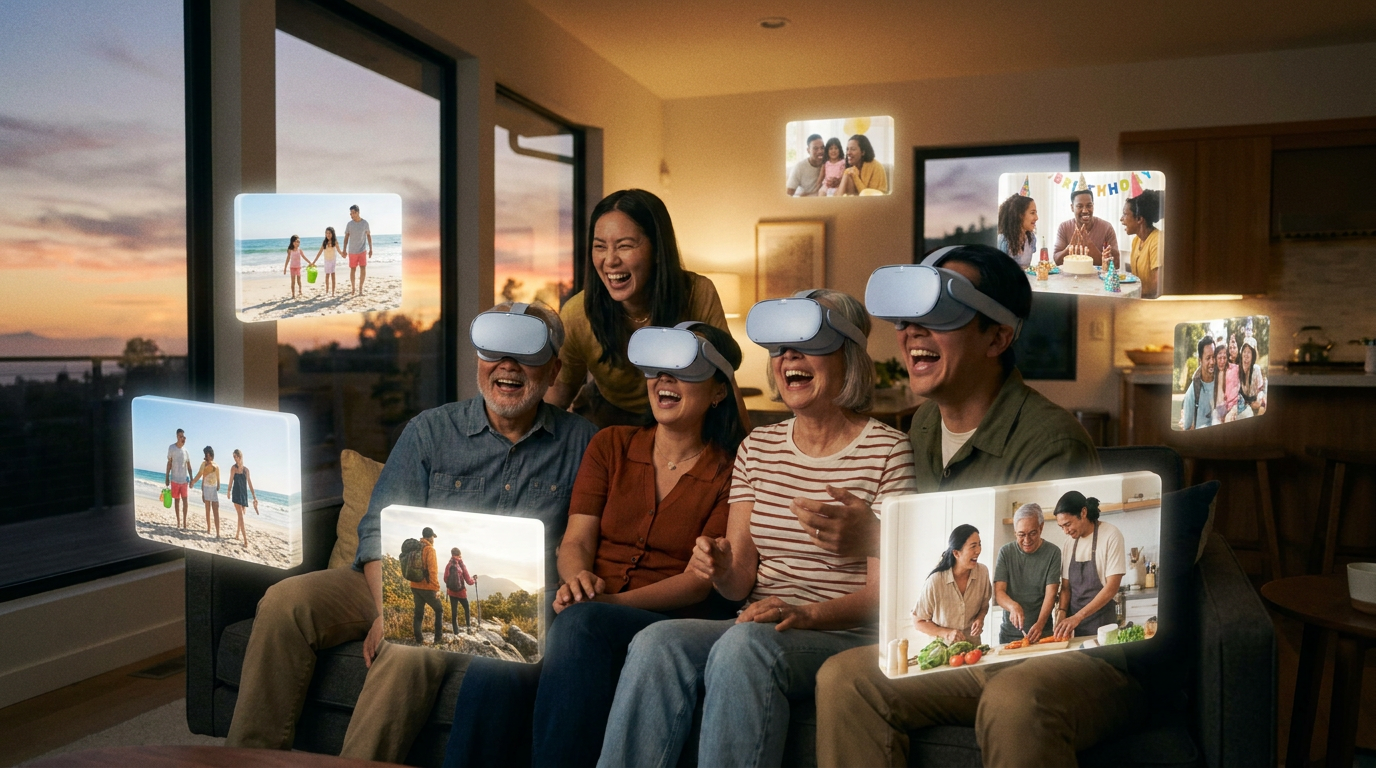
And you can do it on your own terms. Start flat in 2D today, on the phone in your hand. Go immersive with a headset whenever you're ready, or never bother — the flat version is a keepsake worth having all by itself. Save an eBook or storybook sibling for the shelf while you're at it. There's no single right way in; there's only the way that fits your life.
That's really the whole offer of a VR memory gallery, stripped of any hype. Not a promise to make you remember more, not a claim to recreate the past, not a cure for anything. Just a way to gather the Moments you already lived and stand beside them again — with dimension, with space, with a little of the feeling restored to them. In a year that will otherwise blur into a smear of days, that's a quietly radical thing to do.
Remember that summer table from the start of this post — the gold light, the laughter, the chair scraping back? It's still there. It didn't go anywhere. The only thing that changed between the first paragraph and this one is that now you know how to build a room around it.
Maybe this really is a small glimpse of the future of memories, or maybe it's just a lovely new way to honor what you lived through this year. I'm comfortable letting it be either. What I'm certain of is that the moments worth keeping deserve more than a thumbnail they'll never scroll back to. So before the year closes, gather a handful of them and make somewhere you can step back inside. and see what the last twelve months feel like from the inside.
Start your VR Gallery
Don't Just Live It — Keep It
The year is almost gone, but the moments that made it don't have to be. Gather this year's standout memories and step inside them before the calendar turns — it's free on web, iOS, Android, and HarmonyOS, and your memories stay private by default.
Get Started →
Explore the VR Gallery →