
You Took 2,000 Holiday Photos. Here’s How to Turn Them Into Something You’ll Actually Look At
You’re home. The suitcase is finally empty, the laundry is done, and the tan is already fading. It was a genuinely wonderful trip — one of the good ones. And somewhere on your phone are roughly two thousand photographs of it, which you have looked at approximately nine times, all of them in the first four days back.
You are not disorganized. Let’s establish that in the first paragraph and never revisit it. Your camera is built to capture infinitely and your photo library is built to store infinitely, but almost nothing in that system is built to surfaceSo here’s the order of operations. First we clear the mess — practical, specific advice you can start acting on in the next sixty seconds. Then we get to the part almost everyone skips, which is the actual reason those photos will or won’t mean anything to you in ten years.
anything. That’s not a character flaw. That’s a design gap.
This works for the trip you just got back from and for the shoebox in the closet, the inherited albums, the folder of exports from a phone you no longer own. And if you haven’t written the trip down at all yet — not a word — and come back here after.
start with a travel journal first
Let’s begin with the uncomfortable bit: why two thousand photos is a worse outcome than twenty.
Why 2,000 Photos Is Worse Than 20
Scarcity used to do the editing for us. Twenty-four exposures per roll, a cost per shot, a wait to see what you got — the constraint forced selection before the shutter even opened. Abundance removed the constraint and, with it, the selection. Nobody replaced that job. It simply stopped being done.
There is a shoebox somewhere in your family containing perhaps twenty prints from a holiday in 1994. Someone has looked at those prints more recently than you have looked at last month’s camera roll. That is not nostalgia talking. It’s arithmetic.
Then there’s the deeper problem, which has nothing to do with quantity. A photo with no context is a file, not a memory. You can see the beach. You cannot see why everybody in the frame is laughing, who was standing behind the camera making them laugh, or what happened twenty seconds before the shutter went. The photograph captured the surface of the moment and none of its substance. Five years from now, the surface is all that’s left.
Which brings us to retrieval. People rarely lose digital photos — the files sit there faithfully, backed up, duplicated across devices. What people lose is access. Anything you cannot find, and would never think to go looking for, is functionally gone whether it exists or not. Your library isn’t a collection; it’s a haystack with excellent uptime.
So there are two distinct jobs here, and the whole architecture of this article rests on separating them:
- Reduction — getting from two thousand files to a number a human being can actually care about.
- Attachment — adding the context that makes those survivors both findable and worth finding.
Nearly every guide you’ll read does the first job and stops. It’s telling that professional archivists don’t. The treats deciding which photos are most important and describing them with names and subjects as core preservation work — not optional polish afterwards. Selection and description sit at the center of the discipline.
Library of Congress’s personal archiving guidance
You can see people arriving at this conclusion on their own. Search behavior gives it away: alongside the tidy queries about folders and drives, people type things like how to organize and preserve digitized family photos with stories
Let’s do the first job properly, then.
. They already know that storage is only half the job. Almost nobody has been answering the other half. Ask for the best way to organize your photos and you’ll be handed a list of software, when what you needed was a method.
How to Organize Digital Photos: The Ruthless First Pass
The single most valuable thing about this week is that you still remember everything. You know which of the four near-identical shots of the harbour is the good one, because you remember standing there. Give it three months and all four will look the same to you. Momentum beats method — start now, imperfectly, rather than later, systematically.
Start with duplicates, because they require no thinking
Deleting duplicates and near-identical bursts is the fastest volume win available to you, and it demands zero decisions about meaning. Nobody ever agonized over which of eight consecutive frames of a sunset to sacrifice.
If you’re on an iPhone, the Photos app will do a chunk of this for you. Open Photos, tap Collections, scroll to Utilities, and tap Duplicates. explains that merging keeps the highest-quality version along with the most relevant metadata and moves the rest out of your way. One useful thing that trips people up: the Duplicates album only appears once your phone has actually detected duplicates, and that detection runs quietly in the background while the device is locked and charging. If it isn’t there tonight, plug in and check tomorrow.
Apple’s guide to merging duplicate photos and videos
Name the fear, then dissolve it
The real reason people never delete anything is not laziness. It’s the fear of an irreversible mistake — the conviction that the one photo you bin will turn out to have been the good one.
So let’s remove it. On an iPhone, deleted photos don’t vanish; they move to Recently Deleted, where Read that again if you need to, because it’s the psychological unlock that makes everything below executable.
Apple confirms they stay for 30 days
before being removed. You have a month-long undo button. Anything you regret at any point in the next four weeks is one tap from coming back.
The 10% rule
Here’s a working target rather than a law: from any given trip, roughly one photo in ten is worth keeping, and maybe one in a hundred is worth actively showing to another human being. Aim to keep two hundred from two thousand — not two thousand from two thousand.
If deleting still feels transgressive, take it from the archivists. The states plainly that snapshot collections should be weeded of poor prints — blurred images, bad exposures — and of less desirable photos such as multiples and badly cropped shots, before the best ones are properly housed. A national archive is telling you to throw away your bad photos. Consider it permission, formally granted.
National Archives’ family archives guidance
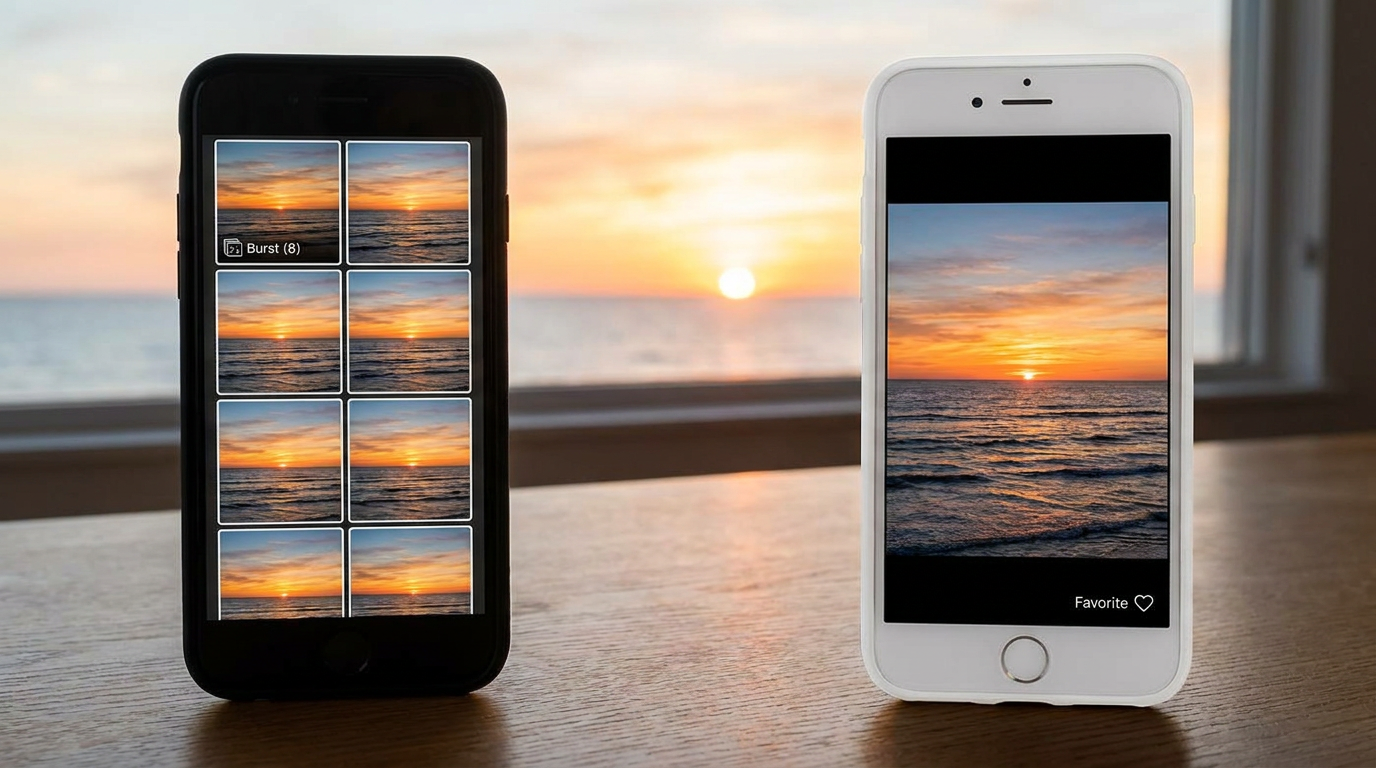
Favorite, don’t file
Sorting is a completely separate job from selecting, and combining them is the number one reason people abandon this project halfway through. Choosing what matters uses one part of your brain; deciding where it belongs uses another. Ask for both at once and you’ll stall around photo four hundred, somewhere over the Adriatic.
On the first pass, do not build a single folder. Do not create a single album. Just go through and tap the heart on anything that makes you feel something.
How to organize thousands of digital photos in one sitting
You won’t, and you shouldn’t try. Work in twenty-minute blocks, trip by trip or oldest-first, never the whole library at once.
The rule that makes this survivable: finish one bounded chunk completely rather than half-doing everything. One trip fully sorted beats five trips partially sorted, because the finished one gives you a small, real hit of completion — and that’s the fuel for the next block.
How to organize years of digital photos without giving up
If you’re staring down a decade-deep backlog, here’s the counterintuitive advice: do not start at the beginning.
Now that there’s dramatically less to organize, you need somewhere for it to live that won’t fall apart the moment real life resumes.
Start with the three events you genuinely care about. Finish those completely. Then let everything else stay messy for as long as it likes. A backlog is not a moral failing and it carries no obligation to be resolved in sequence. The years in between will still be there, and honestly, most of them can wait indefinitely without anyone suffering.
Chronological order is how the files were created, not how you care about them.
A Folder Structure That Survives Contact With Real Life
Most advice on this topic hands you a menu — organize by date, or by event, or by person, or by project — and then declines to recommend anything. That’s not helpful, so here is a recommendation you can act on.
Organize by event, not by date. Human memory retrieves by occasion. Nobody has ever thought “I’d like to see March 2024.” They think “Lisbon,” or “Mum’s 60th,” or “the weekend it rained the entire time.” Your filing structure should mirror the way you’ll actually go looking, and you go looking by occasion every single time.
The hybrid that actually works
The date prefix keeps everything sorting chronologically without any effort from you. The event name makes it findable by memory. You get both properties from one convention, and you never have to think about it again.
Which in practice looks like:
Pure event names sort alphabetically, which scatters your chronology to the wind. So combine the two:
Naming conventions, in plain English
Be consistent — a slightly imperfect system applied everywhere beats a perfect one applied twice. Write dates year-month-day so they sort correctly. Skip special characters, which some systems and drives handle badly. And resist the urge to cram the whole story into the filename; that isn’t what filenames are for. The offers genuinely practical, non-commercial guidance on hierarchy and consistent naming if you want to go deeper.
University of Cincinnati Libraries’ guide to digitizing home collections
How to organize digital photos on your computer
Mirror the exact same structure you use everywhere else. One structure, replicated identically across every device and location, beats three clever bespoke ones every time. Cleverness is the enemy here — you want a system so boring that future-you can navigate it half-asleep.
How to organize digital photos on an external hard drive
Your external drive is a copyThen, once a year, plug it in and confirm it still reads. Drives fail silently and they fail most often at exactly the moment you finally need them.
, not a filing system. Keep the identical structure so the two are genuinely interchangeable and you never have to work out which version is authoritative.
The uncomfortable truth about backups
A single cloud account is not a backup. It is one copy, in one place, behind one password. That’s a convenience, and a good one, but it isn’t redundancy.
Archival practice is unambiguous. The keeping at least two copies and storing them “in different locations that are as physically far apart as practical” — the reasoning being that if disaster reaches one location, the copies elsewhere survive it. That’s the whole principle: separation, not accumulation.
Library of Congress advises
And here’s the part that rarely gets said out loud in articles like this one. No storage is permanent. Even national archives don’t pretend otherwise — the
National Archives’ guidance on digital photographic records
With the new photos handled, it’s time for the harder pile — the one that was never digital to begin with.
Which is a genuinely useful thing to know, because it changes what you should be optimizing for. If nothing sits safely untouched, then the value isn’t in the pile. It’s in whether you ever go back to it.
is built around active management precisely because hardware and file formats age out from underneath you. Institutions whose entire purpose is preservation plan for migration, not for a resting place.
What to Do With Old Photos: Shoeboxes, Inherited Albums and Decade-Old Exports
Old photos aren’t one problem. They’re three, and each wants different handling.
There are printed photos — the shoebox, the sticky-page albums from the seventies, the envelopes from the developer with the negatives still tucked in the flap. There are inherited photos, arriving in bulk after a house move or a bereavement, often featuring people nobody present can reliably name. And there are orphaned digital exports: the folder from the laptop that died, the download from a photo service that shut down, the dump from a phone three phones ago, named something like IMG_20140812_00417.jpg.
Digitizing without turning it into a second career
Phone scanning apps are fast and perfectly good for volume — for the hundred holiday snapshots that matter as a set rather than individually. A flatbed scanner is worth the extra minutes for the ones you’d genuinely be upset to lose. Professional services earn their fee on fragile, oversized, or irreplaceable originals — glass plates, large-format prints, anything crumbling at the edges. You do not need archival-grade scans of every photo of a caravan.
Match your effort to the importance of the original. That’s the whole strategy.
Keep the originals — scanning is not replacing
This one is worth stating firmly, because a lot of people scan a box and then feel entitled to recycle it.
The guidance from both the and the is explicit: don’t throw away original film and prints after digitizing them. A digital copy is not considered a replacement for an original — data can be lost, and the hardware and software needed to read it go obsolete. That’s the same honest logic from the last section, stated by the people who do this professionally.
Library of CongressNational Archives
So store prints somewhere cool, dry and dark. Not the loft, which cooks in summer. Not the basement, which floods. Handle them by the edges. If you have anything genuinely fragile or valuable, the are an excellent, entirely non-commercial place to learn what you’re dealing with.
Northeast Document Conservation Center’s free preservation leaflets
How to organize old photos digitally
Digitize straight into the same event-based structure you built in the previous section. 1994-08 — Cornwall sits perfectly happily beside 2026-07 — Lisbon with the Hendersons.
Do this from the start and your old library and your new one gradually merge into a single thing. Do it separately and you’ve simply created a second problem with its own filing logic, which you will eventually have to reconcile.
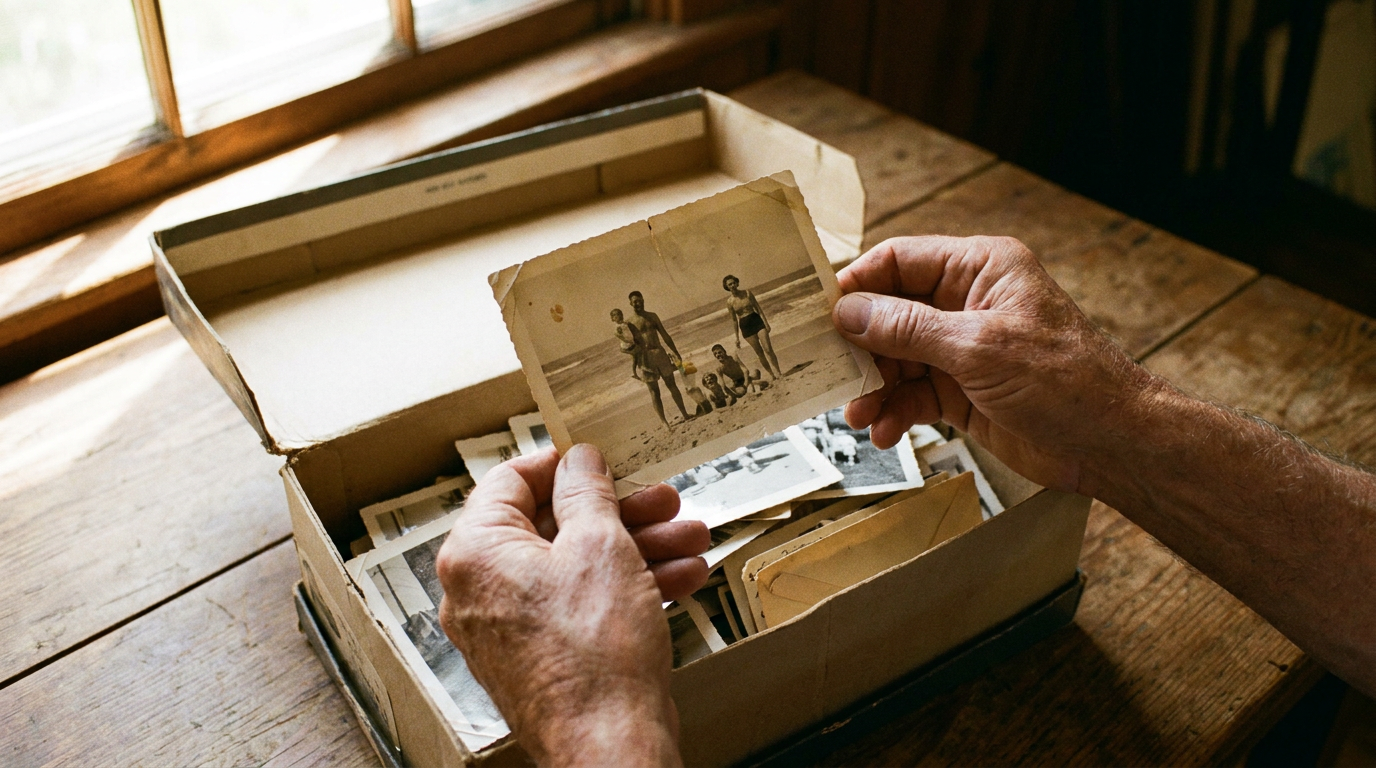
The part that matters more than the scanner
Here is the strongest argument in this entire section, and it’s the one that gets left out of every digitizing guide on the internet.
Scanning a photo without capturing the story attached to it is a half-finished job.And the person who knows who’s in the photograph is a finite resource.
A 600-dpi scan of a photograph where nobody knows who’s in it is not a preserved memory. It’s a high-resolution mystery. You’ve upgraded the file format of something you’ve already lost.
That’s not meant morbidly. It’s meant as an invitation, and a rather lovely one: call your mum and ask her about this one. Take the album to your grandfather’s and go through it with
Which leads directly to the step almost everyone skips.
People in decluttering and family-history communities describe this same regret over and over — the box got digitized beautifully, and nobody thought to write down the names while there was still someone to ask.
That afternoon is worth more than the scanner. It’s worth more than the entire rest of this article, frankly. Scanners will keep getting better and cheaper; that conversation has a window.
him, phone on the table recording audio, one unhurried afternoon and a pot of tea. Ask who that is at the back. Ask where it was taken. Ask why everyone’s dressed like that.
The Part Everyone Skips: Attaching the Story to the Photo
You’ll want to know why everyone was laughing.
In ten years’ time, you will not want to know that this photograph was taken on 14 July at 6:42pm at latitude 38.7223. Your phone has recorded that with tremendous precision and it will be of no use to you whatsoever.
You’ll want to know why everyone was laughing. Nothing in your camera roll is recording that.
The four things worth capturing
For any photo you actually care about — and after the first pass, that’s a manageable number — capture four things:
- Who is in it. Full names, including the people at the edges you’ll stop recognizing.
- Where it was. The actual place, in words a human would use, not coordinates.
- What had just happened. The twenty seconds before the shutter. This is almost always the story.
- Why you took it. What made you reach for your phone at that particular moment.
Here’s what’s striking about that list: it’s essentially the standard professional archivists have used for decades. The describes captioning in a consistent format covering dates, locations, names, subjects and events — who, what, when, where, why. The likewise recommends tagging photos with the names of people and descriptive subjects.
Library of CongressNational Archives’ guidance on photographic records
Adding the story isn’t a soft, sentimental extra layered on top of real preservation. It is real preservation. Everybody just quietly dropped it from the consumer version.
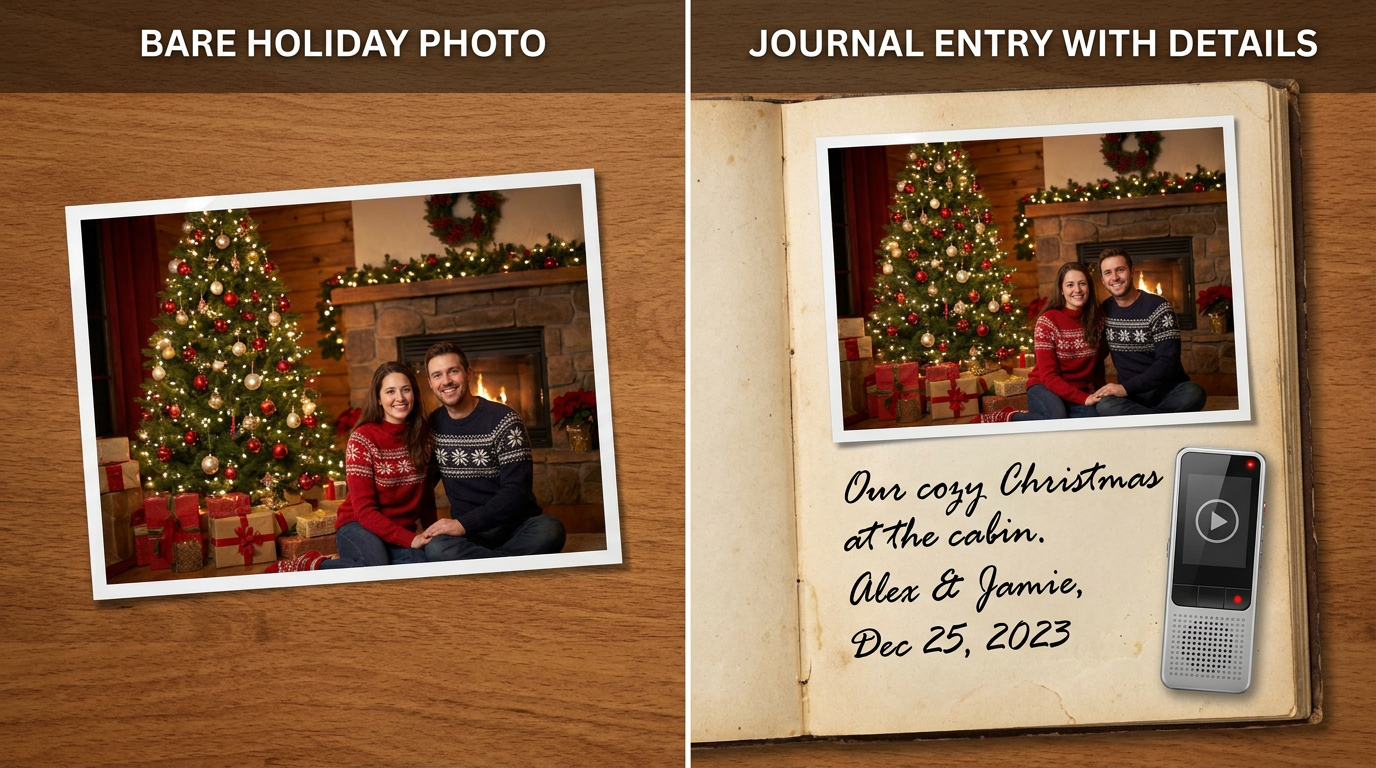
Voice notes are the cheat code
If you take one thing from this entire article, take this.
Forty seconds of you talking over a photo captures more than an hour of typing. You’ll mention the smell of the place. You’ll mention that the restaurant got your order wrong twice and it became the running joke of the week. You’ll go off on a tangent about the man with the accordion. None of that survives the transition to a typed caption, because typing makes people formal and formal people leave out the good bits.
And it captures your actual voice. Which, decades from now, is not a small thing to have recorded.
You don’t need to be articulate. You don’t need to prepare. Press record, look at the photo, and describe it to someone who wasn’t there. Ramble. Ramble is good. Ramble is texture.

Do it in batches, while it’s warm
Twenty photos with real context beat two thousand with none. Not slightly — categorically. Twenty is a story. Two thousand is a directory listing.
The flight home is the single best journaling opportunity of any trip. You’re sitting still, you have no signal, and everything is still vivid. The same evening works nearly as well.
Where the story actually goes
Because there’s nowhere natural to put it. Your photo library has a caption field that nobody fills in, buried behind a swipe, designed for a sentence. It treats the story as metadata attached to the file — a small note pinned to the important thing.
So why does everybody skip this step, given it’s clearly the valuable one?
The alternative is to invert it: put the photo inside the story instead of the story beside the photo.
That’s the idea is built around. A Moment holds the photos, the writing, the voice notes and the video together as a single entry — not a picture with a label, but a record of something that happened, which happens to contain pictures. Those Moments accumulate into a Memory LaneYour camera roll keeps the files. Your backup drive keeps the copies. This is where the story goes.
Lugelo
: a timeline you can walk back through, where each stop has something to say for itself.
The version of the trip none of you had alone
Everyone on the trip photographed a different half of it. You have the mornings; someone else has the night everybody remembers. You have the landscapes; someone else has the candid shot of you looking genuinely happy, which you’ve never seen.
Invite them into the same journal and you assemble the version of the trip that no single person actually experienced. let several people contribute to one record — their photos, their voice notes, their memory of what happened, sitting alongside yours.
Lugelo’s collaborative journals
On staring at a blank box with nothing to say
It happens. You open the entry, look at a photograph of a perfectly nice square in a perfectly nice town, and find you have absolutely nothing to write.
The exists for that specific moment. It prompts and expands — asks the question that unsticks you, helps shape three bullet points into something you’d actually want to reread. It doesn’t replace your voice; it gets you talking.
AI Journal Assistant
Privacy, in plain English
Since we’re asking you to put the meaningful version of your life somewhere, you’re owed a straight answer about it. Per
Once the story is attached, there’s finally something worth making out of it.
: journals are private by default. You choose exactly who can view or contribute, and you can revoke that access whenever you want. Data is encrypted in transit. Personal data isn’t sold to third parties. And if you want out, you can delete your account and your data, with a 30-day window to recover it if you change your mind.
Turning a Trip Into a Digital Memory Book
A digital memory book is an edit, not an archive — and that distinction is the entire reason it works.
Choose 20 to 40 photos
Not two hundred. Certainly not two thousand.
The restraint is the product. A book of thirty photographs gets opened, passed around, and finished. A gallery of eight hundred gets scrolled for forty seconds and closed. If you did the ruthless first pass, you’ve already got your two hundred keepers; now pick the best fifth of those and let the rest stay where they are.
Sequence for narrative, not chronology
A folder has an order. A memory book has a shape, and they’re not the same thing.
Open on your strongest image — not the first one taken, the best one. Group by day or by theme, whichever tells better. Put the funny one where the pace needs lifting. Close on something quiet: the empty street on the last morning, the view from the plane, somebody asleep in the car on the way home from the airport.

Write short connective text
Two or three sentences between clusters. That’s it. You’re writing connective tissue, not a travelogue, and the temptation to over-explain is what kills most of these projects before they’re finished.
How to make a photo album on iPhone
If you want to group your selection natively first, lays out the steps: open Photos, tap Collections, tap Albums, tap the Add (+) button, choose New Album, name it, then select your photos and tap CreateWorth being honest about what that gives you. As a selection tool it’s excellent — fast, native, and free. As a story tool it does nothing at all, because there’s still nowhere for the story to live. You’ve made a smaller pile. A better pile, but a pile.
Apple’s guide to creating photo albums
.
The step beyond the album
Once your Moments exist, they can become something you’d actually hand to another person. In Lugelo, a journal can be shaped into a storybook, exported as an eBook, laid out as a timeline, or opened as a you can step into from a browser or your phone. covers the range if you want to see it.
The features page
“There are some awesome and cool features on Lugelo that I like. Creating journals, adding moments and converting them into an eBook!” — Krishna Pankhania, App Store review
If everyone on the trip has been contributing, the finished thing is genuinely collective — and if you want to think harder about how
shared memories work across a group
Before we close, a few questions that tend to come up.
, that’s worth its own read.
Frequently Asked Questions About Organizing Photos
What’s the best way to organize thousands of digital photos?
Reduce before you sort. Delete duplicates and burst sequences first, then keep roughly one in ten of what’s left, then file the survivors into event-based folders. Sorting before reducing is why most attempts stall — you end up carefully filing hundreds of photos you were always going to delete.
Should I organize photos by date or by event?
By event, with the date as a prefix — 2026-07 — Lisbon. You remember occasions, not timestamps, so your structure should match how you’ll actually search. The date prefix keeps folders in chronological order automatically, so you lose nothing by leading with the name.
What should I do with old printed photos?
Digitize the ones that matter, keep the physical originals stored somewhere cool, dry and dark, and record who’s in them while someone still knows. Archival guidance is clear that scans don’t replace originals. The identification is the urgent part; the scanning can wait.
How do I organize digital photos on an external hard drive?
Mirror the exact folder structure you use elsewhere, so the drive and your main library are interchangeable. Treat it as one copy among several rather than as your filing system, and check it still reads at least once a year — drives fail quietly.
How many photos should I keep from a trip?
Around 10% is a realistic target: roughly two hundred from two thousand. For something you’d actually show people — a memory book, a shared album — twenty to forty is plenty. Keeping more doesn’t preserve more; it just raises the cost of finding anything.
What’s the best way to back up family photos?
At least two copies, on different media, in different physical locations, refreshed every few years as hardware and formats age. The recommends keeping copies as physically far apart as practical. One cloud account is a single copy, not a backup.
Library of Congress
How do I make a photo album on iPhone?
In , tap Collections → Albums → the Add (+) button → New Album, then name it and add your photos. It’s a strong grouping tool, but note that an album holds images without holding any of the story behind them.
Photos
How do I organize digital photos and videos together?
Keep them in the same event folder rather than splitting them by file type. The thirty-second video from a moment belongs beside the photos from that same moment — separating them by format breaks the story into two halves that no longer make sense on their own.

Conclusion
Same trip. Same two thousand photos. But now there are forty you can actually find, a handful with names attached to the faces, and two or three where you can hear yourself talking about what happened just before the picture.
That’s the distinction worth holding onto: organizing your photos makes them findable; attaching the story makes them worth finding. The first job is housekeeping. The second is the one that decides whether any of this matters in a decade.
And no, nothing lasts indefinitely — not drives, not file formats, not services, not shoeboxes. Every serious archive plans around that rather than pretending otherwise. What you can
build is something you actually return to, because the records that survive tend to be the ones people keep visiting. Attention is the only preservation strategy that has ever really worked.
Ditch Camera Roll Chaos
Start small — one trip, one journal, one Moment. Your camera roll keeps the files; keeps the story that makes them worth keeping. Available on web, iOS, Android and HarmonyOS — and start saving what actually matters.
download it hereLugelo