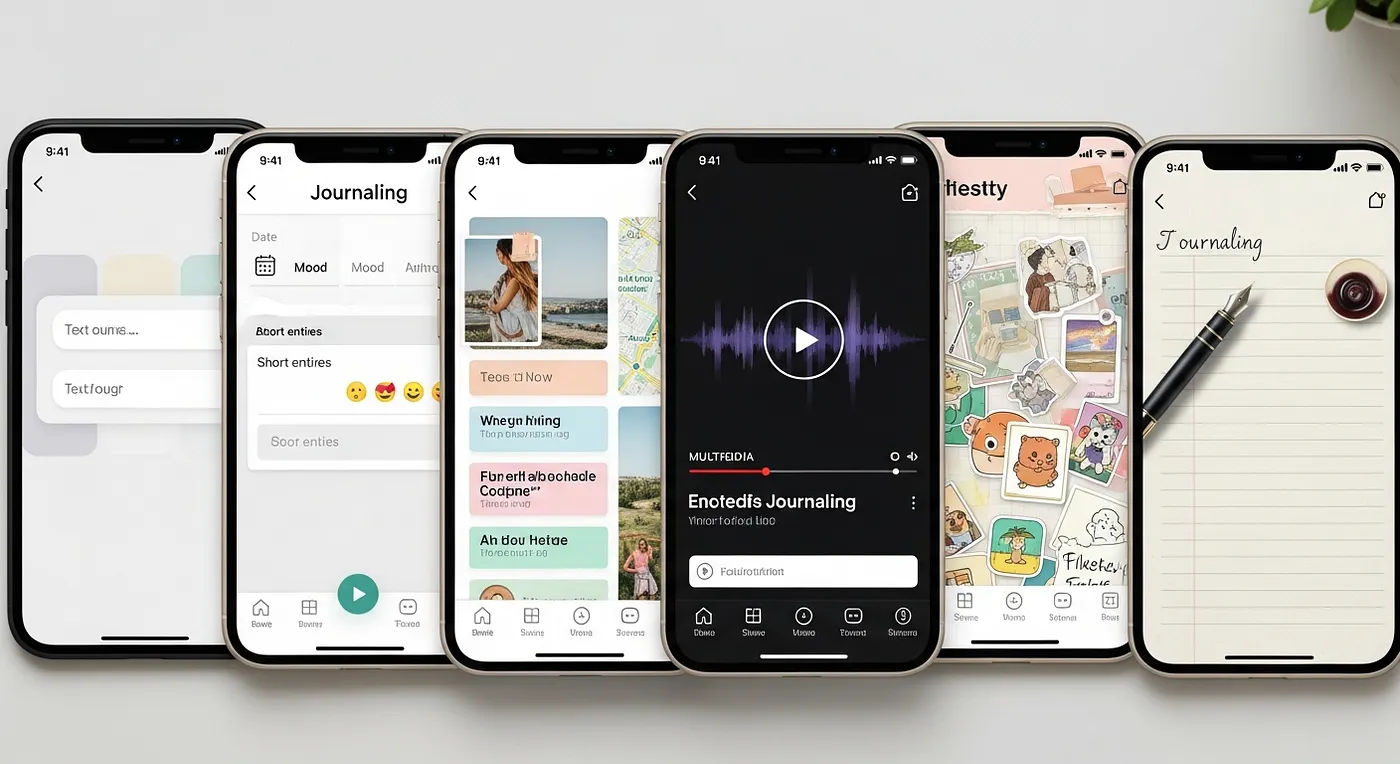
Best Journaling Apps in 2026: Honest Comparison for Every Type of Journaler
What is the best journaling app in 2026? The best journaling app in 2026 depends on what you need. For solo reflection and clean design, Day One leads. For AI-guided emotional check-ins, Rosebud excels. For privacy-first simplicity, Penzu delivers. For one-time purchase flexibility, Diarium stands out. And for families, friend groups, and memory keepers who want to collaborate and turn moments into storybooks, ebooks, timelines, and VR galleries — Lugelo is the clear standout.
You know that feeling when a moment slips by before you’ve had a chance to hold onto it? A birthday dinner where everyone was laughing just right. A road trip morning where the light came through the windows at a perfect angle. A quiet conversation with someone you love that you knew — even as it was happening — you’d want to remember forever. And then life moves on, and the moment fades faster than you expected.
That’s exactly why journaling exists. Not as a productivity ritual or a self-optimization hack, but as an act of preservation. Research consistently shows that journaling supports mental health, sharpens self-awareness, and helps people process emotions with greater clarity and depth. But beyond the clinical benefits lies something more personal and more urgent: the human need to make meaning out of the moments that matter.
In 2026, the journaling app landscape has expanded in ways that would have felt like science fiction not long ago. There are apps built for quiet solo reflection, apps powered by AI wellness companions, apps that lock your thoughts behind military-grade encryption, and apps that transform your memories into immersive VR galleries and beautifully designed storybooks. The challenge isn’t finding a journaling app anymore. It’s finding the right one — the one that fits your habits, your relationships, and the kind of story you want to tell.
This post is an honest, structured comparison of six of the best journaling apps available today: Day One, Journey, Penzu, Rosebud, Diarium, and Lugelo. We’ll walk through what each does well, where each falls short, and which one wins for every type of journaler. No spec-sheet recitations. No affiliate hedging. Just a straight answer.
Before diving in, though, it helps to know how to evaluate these apps — because the criteria matter as much as the conclusions.
What Makes a Great Journaling App in 2026? The Criteria That Actually Matter
Choosing a journaling app is a surprisingly personal decision — more personal, arguably, than choosing a note-taking tool or a task manager. A journaling app is where you put the unfinished thoughts, the raw feelings, the memories you don’t want to lose. That intimacy makes the evaluation stakes high. A great app doesn’t just hold your words; it earns your trust, fits your life, and ideally makes you want to come back.
Before this comparison can be fair, the criteria need to be transparent. Consistency matters more than frequency when it comes to journaling’s long-term benefits — which means the right app isn’t the one with the most features, it’s the one that makes showing up feel natural and easy. Here’s exactly what was evaluated across all six apps:
Privacy & Security: Does the app encrypt your entries? Who controls access? Can you password-lock individual journals? Is data stored locally, in the cloud, or both — and can you choose? For many journalers, this is non-negotiable. A diary that isn’t truly private isn’t truly a diary.
Multimedia Support: Life doesn’t happen in plain text. A great journaling app should support photos, video, audio recordings, and links — capturing not just what you thought but what you saw, heard, and experienced. The richer the media support, the more complete the memory.
Platform Availability: Can you journal on your phone during a commute, on your laptop at night, and on a web browser at work? Availability across iOS, Android, web, Windows, macOS, and even HarmonyOS determines whether the app fits your actual life or just your ideal one.
Collaboration: Can you share journals with family, friends, or a partner? Can you co-create entries in real time? For most apps, the answer is limited at best. But collaboration is increasingly the defining differentiator for a new generation of memory-keepers who want to document life together.
Output & Export: Can your journal become something more? A PDF, an ebook, a printed storybook, an immersive gallery? Or does everything you write stay locked inside the app forever? The export question is actually a legacy question: what can you do with this someday?
AI & Smart Features: From automatic location and weather tagging to conversational AI companions and reflective summaries, smart features are transforming what journaling feels like. Some people want none of it. Others want a guided experience that meets them where they are emotionally.
Pricing Model: Subscription, one-time purchase, or freemium? The pricing model affects not just your wallet but your relationship with the app. A subscription creates pressure to use something you’re paying for monthly. A one-time purchase removes that friction entirely.
Offline Access: Can you journal without an internet connection — on a plane, in a remote cabin, in a dead zone? Offline sync is a quiet but critical feature for real-world journaling habits.
These criteria map directly to the app-by-app comparison that follows. Keep them in mind — they’re the lens, not just the list.

An Honest App-by-App Breakdown: The Top Journaling Apps of 2026
Writing enhances memory formation — and the medium you choose shapes the experience profoundly. With that in mind, here’s a fair, rigorous breakdown of each app. What it does well. Where it stumbles. And who it’s truly built for.
Day One: The Gold Standard for Solo Journaling
There’s a reason Day One is the first app that comes up in virtually every best-journaling-apps conversation. It’s simply one of the most thoughtfully designed journaling experiences ever built. The interface is clean, warm, and inviting in a way that makes opening the app feel like sitting down with a good book. Every design decision, from the typography to the entry animations, signals that someone cared deeply about the experience.
In 2026, Day One has expanded its offering to three tiers. The Basic (free) plan includes unlimited text entries, one photo per entry, end-to-end encryption, daily prompts, and templates. The Silver plan at $49.99/year unlocks unlimited photos and videos, audio recordings with transcription, cross-device sync, and integrations with Strava, Zapier, and IFTTT. The Gold plan at $74.99/year adds AI features: Daily Chat for guided reflection, AI-generated summaries, entry title suggestions, reflective prompts, and image generation. Day One is available on iOS, macOS, Android, and the web.
The app automatically captures contextual metadata — weather, location, step count — creating a rich environmental layer around each entry without requiring any extra effort. It supports end-to-end encryption and biometric lock options, making it one of the more trustworthy privacy options in this space.
Where Day One falls short is equally clear: it’s fundamentally a solo experience. There are no real-time collaboration tools, no co-journaling features, and no meaningful way to share a living journal with someone else. Export options, while decent (PDF, printed journals), don’t extend to ebooks or immersive formats. And at the Gold tier, the price point climbs high for features that some journalers will use rarely.
Best for: Solo journalers who want a beautiful, private, richly designed multimedia diary — and are willing to pay a premium for the experience.
Journey: The Cross-Platform Journaler’s Best Friend
If your life spans multiple devices, operating systems, and contexts, Journey is the app that refuses to leave anyone behind. Available on iOS, Android, macOS, Windows, Linux, and the web, Journey is the most genuinely cross-platform option in this comparison — and it earns that distinction without sacrificing depth.
Journey’s feature set is impressively broad. Entries support text, photos, videos, and audio. The app automatically adds weather and location context. Mood tracking gives users a longitudinal view of their emotional landscape over time. Guided programs provide structured journaling experiences focused on self-care, gratitude, and personal growth. The premium plan runs $4.99/month with a free tier available, making it one of the more accessible options on price.
One of Journey’s most underrated features is its ePub export capability — users can turn their journal into an actual ebook. For writers, memoirists, and memory-keepers, this is a meaningful output option that most apps don’t offer. End-to-end encryption covers the privacy bases.
The critique most often leveled at Journey is that its interface can feel cluttered. The wealth of features is a strength and a weakness simultaneously — new users sometimes struggle to find their footing, and the experience lacks the calm, focused elegance of Day One. Collaborative features exist but feel like an afterthought rather than a design priority.
Best for: Journalers who need true cross-platform access across all devices and want light guided reflection without committing to a single ecosystem.
Penzu: The Privacy Purist’s Safe Haven
Penzu doesn’t try to be everything. It tries to be one thing exceptionally well: a genuinely private, genuinely secure digital diary. And it succeeds.
The app’s interface is deliberately minimal — clean white pages, a text cursor, and nothing to distract you from writing. There are no social features, no AI companions, no multimedia galleries. There’s just the page and your words. For a particular type of journaler — someone who wants a private outlet with zero noise — this is exactly the point. As one user put it, “Penzu offers something increasingly rare: a journaling app where your entries are genuinely private.”
On the security front, Penzu delivers meaningfully. The Pro plan ($19.99/year) includes encryption locking, custom journal covers, entry tagging, PDF export, and writing prompts. The Pro+ plan ($49.99/year) adds military-grade encryption, fullscreen zen mode, version history, and premium support. Critically, even Penzu’s support team cannot retrieve your entries if you forget your password — the encryption is genuinely user-controlled. The app runs on iOS, Android, and web, with email reminders and writing prompts to keep users consistent.
The limitations are real and by design: no AI features, no multimedia-rich entries beyond basic images, and no collaborative tools whatsoever. If you want your journal to become something — a keepsake, a shared memory, an ebook — Penzu isn’t the vehicle for that journey.
Best for: Privacy-focused individuals who want a simple, distraction-free, genuinely secure digital diary and nothing more.
Rosebud: The AI Wellness Companion for Self-Reflection
Rosebud exists in a category of its own. It’s less a traditional journaling app and more a guided emotional wellness experience powered by a sophisticated AI companion. Where most apps give you a blank page and step aside, Rosebud leans in — asking follow-up questions, identifying emotional patterns, and offering personalized feedback that evolves with your entries over time.
The core journaling experience is conversational. You write (or speak — Rosebud supports voice journaling in over 20 languages with automatic transcription), and the AI responds with adaptive follow-up questions that deepen the reflection. Weekly AI-generated summaries highlight key themes and emotional trends, making it easier to see patterns you might otherwise miss. Intention-setting tools and habit tracking round out the self-improvement toolkit.
The results have been notable. In a study of Rosebud users, 69% of those struggling with anxiety reported improvement within a single week of use. The app is available on web, iOS, and Android. The Bloom premium plan runs $12.99/month or $8.99/month when billed annually, with a free version offering basic features.
Where Rosebud falls short is outside its lane: there are no collaborative features, limited multimedia support, and minimal export options. It’s an introspective wellness tool, not a memory-preservation platform. If your goal is emotional growth and self-awareness, it’s exceptional. If your goal is capturing and sharing the texture of your life, it’s not the right fit.
Best for: Individuals focused on emotional wellness, self-improvement, and AI-guided reflection who want a thoughtful companion for inner work.
Diarium: The Power User’s Subscription-Free Diary
Diarium occupies a unique space in the journaling app market by refusing the subscription model entirely. You pay once per platform — approximately $19.99 on Windows, with the Android version offering a free download and a one-time Pro unlock after a 7-day trial — and the app is yours. No monthly fees. No renewal anxiety. Just a fully-featured diary that you own.
The feature set is genuinely impressive for a one-time purchase. Diarium supports text, photos, audio, video, location, and tags. It integrates automatically with services like Facebook, Instagram, Google Fit, Fitbit, and Strava — meaning your workouts, your social posts, and your life data can all flow into your journal without manual effort. Cloud sync works through your own storage (OneDrive, Google Drive, Dropbox, iCloud, WebDAV), which is another privacy-friendly choice. Strong offline functionality means you can journal anywhere, internet or not. Available on Windows, macOS, Android, and iOS.
The gaps are meaningful: there are no collaborative features, no VR or immersive export formats, and the design aesthetic won’t win design awards alongside Day One. For users who want a deeply customizable, privacy-respecting, subscription-free diary that integrates with the rest of their digital life, though, Diarium is a genuinely excellent choice.
Best for: Power users who want a feature-rich, subscription-free personal diary with deep customization and cross-platform support.
Lugelo: The Platform Built for Shared Memory-Making
Lugelo is a different kind of journaling app — different in ambition, different in design philosophy, and different in what it believes a journal can ultimately become. Where most journaling apps are built around the private individual experience, Lugelo was built around the fundamental truth that the memories worth keeping are rarely made alone.
At its core, Lugelo is a collaborative, multimedia storytelling platform. You can create journals with text, photos, video, audio, and links. You can invite family members, friends, or entire groups to co-create and contribute to shared journals — making it the natural home for family travel diaries, couples’ memory books, friend group adventures, wedding keepsakes, and graduation archives. An AI Journal Assistant helps users build and structure their stories faster, removing the blank-page paralysis that stops many people from ever starting.
What sets Lugelo apart most dramatically, though, is what you can do with your journal once it exists. Entries can be organized into interactive timelines, transformed into beautifully designed ebooks, printed as storybooks, or viewed as immersive VR gallery experiences — three-dimensional spaces where your memories become something you can walk through, not just scroll past. No other app in this comparison offers this breadth of output.
Privacy is built into the foundation. Lugelo uses military-grade encryption and gives owners full control over sharing — every journal is private by default. The app is available on iOS, Android, HarmonyOS, and web, with Chrome and Firefox browser extensions and offline sync for journaling without a connection. It’s free to start on iOS, and 92% of users report satisfaction with the keepsake output quality.
Best for: Families, friend groups, couples, event participants, and anyone who wants to turn shared moments into lasting, beautifully crafted keepsakes.
With a clear picture of what each app offers and where each falls short, the natural next question is: which one is right for you specifically?
Best Journaling App for Every Type of Journaler: The Use-Case Winners
This is the section that matters most for most readers. You don’t need to evaluate six apps in their entirety — you need to find your app. Here are the clear winners for every type of journaler, based on the honest assessments above.
Best for Solo Daily Journaling → Lugelo
For the journaler who wants a beautiful, private, richly designed space to document their inner world, Day One remains the benchmark. The interface is second to none. The multimedia support is deep. The AI features in the Gold plan add genuine value for guided reflection. If your journaling is fundamentally a solo practice, Day One is the app that will make that practice feel worthy of the moments you’re capturing.
Best for Privacy & Simplicity → Penzu
If your primary concern is keeping your thoughts genuinely, verifiably private — and you want nothing more than a clean page and a reliable lock — Penzu is the right answer. Its Pro+ plan’s military-grade encryption and user-controlled password protection offer a level of security that most apps gesture toward but Penzu actually delivers. Simple. Private. Exactly what it says it is.
Best for AI-Guided Emotional Wellness → Rosebud
No other app in this comparison invests in the emotional intelligence of the journaling experience the way Rosebud does. If you’re using journaling as a tool for self-awareness, mental health, or personal growth, Rosebud’s conversational AI, mood tracking, and weekly insights create a feedback loop that a blank page simply cannot match. The data on anxiety improvement alone — 69% of users seeing results within a week — is compelling.
Best for Cross-Platform Flexibility → Journey
If you move between a Windows laptop, an Android phone, a Mac, and a web browser throughout your week, Journey is the only app that follows you everywhere without compromise. Its guided programs and ePub export add meaningful depth. And at $4.99/month with a free tier, the entry point is accessible. Cross-platform champion, no contest.
Best for Subscription-Free Customization → Diarium
For journalers who resent the subscription economy and want a fully-featured diary they can own outright, Diarium is in a category of one. The one-time purchase model, deep customization options, and automatic integrations with fitness trackers and social platforms make it the power user’s choice — without the recurring bill.
Best for Families & Collaborative Memory-Keeping → Lugelo
“For families and groups who want to preserve shared memories, Lugelo is the journaling app that enables collaborative storytelling with privacy controls.”
Lugelo was purpose-built for this. No other app lets multiple people contribute to a living, shared journal in real time, with the result exportable as a storybook, ebook, or immersive VR gallery. Family vacations, milestones, reunions, celebrations — Lugelo captures them the way they actually happened: together.
Best for Turning Memories into Keepsakes (Ebooks, Storybooks, VR) → Lugelo
If you’ve ever wished your camera roll could become something more meaningful — a book someone could hold, a gallery someone could step into — Lugelo is the only app that makes that possible at this level of quality. The 92% user satisfaction with keepsake output quality isn’t a marketing number; it reflects how different the emotional experience of a beautifully produced memory book feels compared to a feed of photos.
Best for Friend Groups Documenting Shared Experiences → Lugelo
Group chats scatter memories across threads. Shared photo albums lack context and story. Lugelo gives friend groups a dedicated, structured, collaborative space to build a living record of their shared experiences — with everyone contributing, and everyone receiving something beautiful at the end.
Best Overall for Memory Preservation → Lugelo
Expressive writing helps people process and preserve meaningful memories in ways that passive photo capture simply cannot replicate. When the goal is not just recording but preserving — creating something that will matter to the people you love for decades — Lugelo is the only app in this comparison that was designed with that ambition at its center.
Ready to see how Lugelo works? Start your free journal today →
How Every App Stacks Up: A Full Feature-by-Feature Comparison
The individual app reviews tell the story in depth. But sometimes you need a fast, clean side-by-side reference. Here’s how all six apps compare across the criteria that matter most, as of April 2026.
Platforms Available
- Day One: iOS, Android, macOS, Web
- Journey: iOS, Android, macOS, Windows, Linux, Web
- Penzu: iOS, Android, Web
- Rosebud: iOS, Android, Web
- Diarium: iOS, Android, macOS, Windows
- Lugelo: iOS, Android, HarmonyOS, Web + Chrome & Firefox Extensions
Offline Access
- Day One: ✅ Yes
- Journey: ✅ Yes
- Penzu: ⚠️ Limited
- Rosebud: ⚠️ Limited
- Diarium: ✅ Yes (strong offline mode)
- Lugelo: ✅ Yes (offline sync)
Multimedia Support (Photos, Video, Audio)
- Day One: ✅ Full (photos, video, audio, drawings)
- Journey: ✅ Full (photos, video, audio)
- Penzu: ⚠️ Basic (images only)
- Rosebud: ⚠️ Voice input only
- Diarium: ✅ Full (photos, video, audio, files)
- Lugelo: ✅ Full (photos, video, audio, links)
Privacy & Encryption
- Day One: ✅ End-to-end encryption
- Journey: ✅ End-to-end encryption
- Penzu: ✅ Military-grade encryption (Pro+)
- Rosebud: ✅ Standard encryption
- Diarium: ✅ Password/biometric protection
- Lugelo: ✅ Military-grade encryption, owner-controlled sharing
AI Features
- Day One: ✅ Gold plan (AI chat, summaries, prompts, image generation)
- Journey: ⚠️ Basic prompts and mood tracking
- Penzu: ❌ None
- Rosebud: ✅ Full AI companion (voice, insights, weekly reports)
- Diarium: ❌ None
- Lugelo: ✅ AI Journal Assistant for faster story creation
Collaboration
- Day One: ❌ Solo only
- Journey: ⚠️ Limited
- Penzu: ❌ Solo only
- Rosebud: ❌ Solo only
- Diarium: ❌ Solo only
- Lugelo: ✅ Full real-time co-journaling with groups
Export Formats
- Day One: ✅ PDF, printed journals
- Journey: ✅ ePub ebook, PDF
- Penzu: ✅ PDF
- Rosebud: ❌ Minimal
- Diarium: ⚠️ Basic export
- Lugelo: ✅ Ebook, storybook, timeline, VR gallery
VR Gallery
- Day One: ❌
- Journey: ❌
- Penzu: ❌
- Rosebud: ❌
- Diarium: ❌
- Lugelo: ✅
Pricing Model
- Day One: Freemium + subscription ($49.99–$74.99/yr)
- Journey: Freemium + subscription ($4.99/mo)
- Penzu: Freemium + subscription ($19.99–$49.99/yr)
- Rosebud: Freemium + subscription ($8.99–$12.99/mo)
- Diarium: One-time purchase per platform (~$19.99)
- Lugelo: Free on iOS; platform-based access
Free Tier Available
- Day One: ✅
- Journey: ✅
- Penzu: ✅
- Rosebud: ✅
- Diarium: ⚠️ Trial only
- Lugelo: ✅ Free on iOS
Feature data accurate as of April 2026. Always verify current pricing and availability directly with each app — Lugelo is available on iOS, Android, HarmonyOS, and web.
The comparison makes the differentiation clear. The next question is: why does this differentiation matter — and where is journaling as a category actually heading?
Why the Future of Journaling Is Collaborative, Multimodal, and Immersive
For most of human history, a journal was a private thing. A leather book. A locked drawer. A record of the self, for the self. That model still has profound value — and apps like Day One and Penzu honor it faithfully. But something significant is shifting in how people think about memory, storytelling, and what a journal is actually for.
“Journals are souvenirs of your past.”
That line gets at something true. A souvenir isn’t meant to stay hidden. It’s meant to be held, shared, returned to — to serve as a bridge between the moment something happened and the people who lived it. And that idea is quietly transforming what the best journaling platforms look like.
The mental health and self-awareness benefits of journaling have always centered on the individual. Writing about your experiences creates distance, perspective, and emotional clarity that’s hard to access any other way. But there’s a parallel truth that the most meaningful experiences tend to involve other people. Weddings. Vacations. Graduations. The late-night conversations that define a friendship. The family dinners that become family lore. These moments don’t belong to one person’s journal — they belong to everyone who was there.
Collaborative journaling is no longer a niche feature. It’s becoming the defining direction for a new generation of memory-keepers. Families who want to build shared archives of their life together. Friend groups who want something more lasting than a group chat thread. Event participants — at conferences, retreats, celebrations — who want to document a shared experience as it unfolds. Lugelo’s growth in this space reflects a broader shift: the journal is moving from private document to shared artifact.
AI is accelerating this shift in unexpected ways. Not by replacing the human voice in journaling — that would defeat the purpose — but by removing the friction that stops people from showing up. An AI Journal Assistant that helps you structure a story, suggest a caption, or organize a timeline of entries makes it dramatically easier to maintain a rich, collaborative journal over time. The blank page has always been the enemy of consistent journaling. AI is finally a credible answer to it.
Perhaps the most forward-looking development in the category is immersive output. Lugelo’s VR gallery feature represents something genuinely new: the idea that revisiting a memory shouldn’t mean scrolling through a feed. It should mean stepping into a space — a three-dimensional gallery where photos, journal entries, and moments from a family vacation or a milestone birthday float around you like a living archive. This is what journaling looks like when the technology finally catches up to the emotional ambition.
The shift from “journaling as productivity” to “journaling as legacy” is real and accelerating. The apps built only for today’s private entry will serve today’s need. But the platforms built to help people create something that lasts — something their children might explore someday, something their friends might share at a reunion — are building for a different and more enduring kind of value. Lugelo users report 3x faster family story collaboration compared to standard note-taking apps, which reflects not just a feature advantage but a fundamentally different product philosophy.
For anyone who has ever thought, I wish I had kept better track of this period of our lives — the tools to do that now exist in ways they simply didn’t five years ago. The question is whether you’ll choose a tool built for that ambition, or one that was designed for something simpler. Lugelo’s blog is a rich resource for exploring how people are using collaborative journaling to document every
Want the most beautifully designed solo journaling experience?
→ Day One. Nothing comes close on pure design quality and individual journaling depth.
Want genuine, verifiable privacy and nothing else?
→ Penzu. Simple, encrypted, yours. Exactly as promised.
Want AI to help you understand yourself better?
→ Rosebud. The emotional intelligence here is unmatched in the category.
Want to journal on every device, everywhere?
→ Journey. The true cross-platform champion for multi-device lives.
Want to own your app outright with no subscription?
→ Diarium. A one-time purchase that delivers a genuinely full-featured diary.
Want to capture life together — and turn those moments into something that lasts?
→ Lugelo. And it’s not even close.
Here’s the truth that the feature comparisons point toward but don’t quite say outright: most of the moments in your life that you’ll most want to remember are moments you shared with other people. Your children’s milestones. Your family’s trips. The celebrations that took years to plan and flew by in a single afternoon. None of those memories belong in a solo diary. They belong in a shared space — one where everyone who was there can contribute, and everyone can receive something beautiful from what was built together.
The moments that matter most are rarely lived alone.
Lugelo was built with that understanding at its foundation. It’s free to start on iOS, available on iOS, Android, HarmonyOS, and web — and the keepsakes it produces speak for themselves. Storybooks. Ebooks. Timelines. VR galleries. Not just entries in an app, but artifacts that will still matter in twenty years.
Your story deserves more than a camera roll. It deserves a home.
The Only Question Left to Answer
Every journaling app in this comparison serves someone well. Day One is a masterpiece for the solo journaler. Penzu is a fortress for the privacy-conscious writer. Rosebud is a revelation for the person doing the inner work. Journey is a workhorse for the perpetual multi-device switcher. Diarium is freedom for the subscription-averse power user.
But none of them were built for what Lugelo was built for: the belief that a journal shouldn’t just hold your memories — it should help you share them, shape them into something meaningful, and preserve them in forms worthy of the moments they capture. That’s not a feature difference. It’s a philosophical one. And it’s the difference between an app that holds your words and a platform that honors your story.
The best journaling app isn’t the one with the most features. It’s the one you’ll actually use — the one that fits the kind of storyteller you want to be. If your story involves other people (and the best stories always do), you need a platform that was designed for that from the ground up.
Everyone has a story to tell. The only question is: where are you keeping yours?
Your memories deserve better than scattered apps.
Start capturing, collaborating, and creating with Lugelo — free to get started.
Create Your First Journal →
Already journaling? Explore how Lugelo turns your entries into storybooks, ebooks, and VR galleries.
Learn More →